
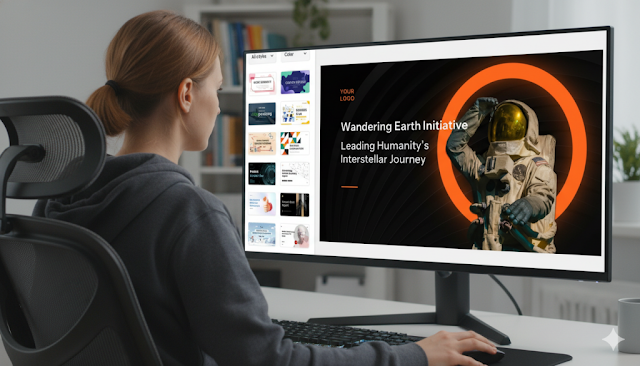
Upload your document (DOCX, PDF) or paste text directly into the AI PowerPoint generator. Use a specific prompt for best results, like "Create a 10-slide investor pitch from this business plan, highlighting the market opportunity." Review the generated slide outline before creating full visuals to control the flow.
Phase 3: Refine and Personalize the Output
Add the human touch. Use the built-in editor to adjust wording, replace stock images with custom graphics, and ensure the message is perfect. This step polishes the AI's draft into a presentation-ready final product.
Pro Tips for Maximizing Your AI PPT Maker Efficiency
Optimize your workflow with these strategies:
- Use Iterative Prompting: Be specific. Instead of "make a presentation," try "create a persuasive, minimalist sales deck for a tech startup."
- Select Templates Strategically: Choose a visual style (corporate, creative, portfolio) that matches your audience before generation to reduce later edits.
- Handle Data Clearly: Label numbers and data points explicitly in your source text so the AI can accurately convert them into charts and graphs.
Common Mistakes to Avoid with AI Presentation Tools
Steer clear of these pitfalls to ensure high-quality results:
- Avoid the "Wall of Text": Don't force every sentence onto a slide. Trust the AI's summarization to keep content concise and readable.
- Don't Over-Rely on Automation: Always review for accuracy. Proofread the entire deck to catch any potential AI misinterpretations.
- Bypass Generic Visuals: Elevate your slides by replacing key AI-selected images with your own photos, screenshots, or branded assets.
Mastering Automated Presentation Design
The future of business communication is here. By effectively partnering with an AI PPT maker, you automate tedious formatting and design tasks, freeing up time to focus on your core message and delivery. The most successful approach is hybrid: let the AI handle structure and consistency, then apply your expertise to refine the narrative. This combination produces stunning, professional presentations in record time, making rapid text-to-slide conversion an essential skill for 2025.








Artikel Terkait
Insiden Guru vs Siswa SMKN 3 Tanjabtim Viral: Kronologi Lengkap & Tindakan Disdik Jambi
Yoon Suk Yeol Dituntut Hukuman Mati: Kronologi, Fakta, dan Jadwal Sidang Terbaru
Kecelakaan Tambang Emas Antam di Bogor: Pekerja Terjebak, Asap Tebal & Evakuasi Terkini
Residivis Ponorogo Bobol Rumah Tetangga 3 Jam Setelah Bebas dari Penjara